

Thunderbird is enjoying growing popularity in the fan community. With the help of add-on, Thunderbird can be adapted to your own needs, so that significantly more functions are available than with the basic version. The following article provides a brief overview of the most useful add-ons (surface, maintenance, new functions, email).
Installation and uninstalling of add-ons
The add-ons are installed as follows:
The add-ons have the ending XPI after downloading from the respective pages. The respective XPI add-on is selected via the Thunderbird menu «Extras> Add-on … Install» Extensions> Install «. After installation, a restart of Thunderbird is usually required.
If an add-on is no longer desired, it can either be «deactivated» via the add-on menu and activate it at a later date or «completely uninstall».
In a Thunderbird update, it is often advisable to look for newer add-on versions via the add-on update button in order to prevent possible compatibility problems.
Call and configure add-ons
Some add-ons also bring their own toolbar buttons. In order to activate this, right -click on the «Toolbar> …» the respective button must be drawn to the toolbar by drag & drop and confirmed with OK.
To configure an add-on, go to the menu «Extras> Add-on …> Extensions», select the right add-on and go to the «Settings» button.
«User interface»
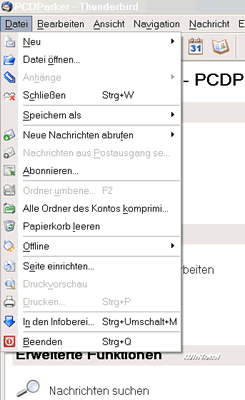
The original user interface from Thunderbird is sometimes quite spartan. With the Cutemenus add-on, additional graphics are integrated for each command menu, which facilitate the detection of the individual menu items by symbols.
|
|
CuteMenus |
MinimizeToTray
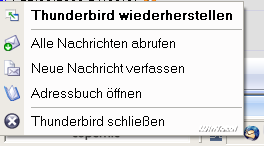
Unfortunately, the basic version does not have the option of minimizing Thunderbird from the taskbar into the tray in order to create more space on the task bar. Minimizetotray takes on this problem.
|
|
MinimizeToTray |
Maximize Message Pane
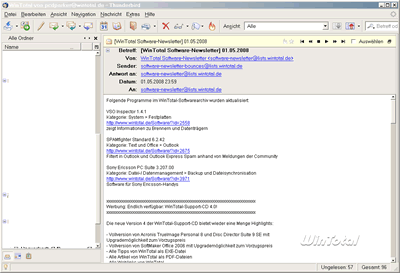
By double-clicking on the header of an email, the message text is expanding to full size. A navigation tool can be connected to the next email in this full screen mode. The mail message overview is hidden and only appears after a new double click on the header. This expansion is very suitable for small screen resolutions, as it is usually difficult to choose a suitable window layout that clearly shows the emails and the message text.
|
|
Maximize Message Pane |
Display Mail User Agent
This add-on indicates a symbol of the email application, with which an email was written.

|
|
Display Mail User Agent |
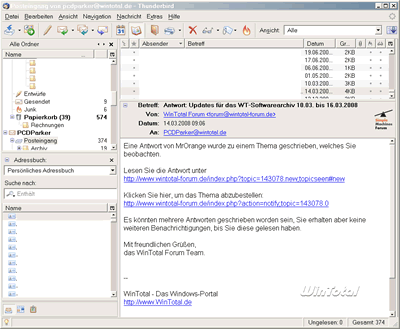
Similar to Outlook Express, adds a contact list with search functions in the left navigation of Thunderbird. A double click on a name starts the email editor.
|
|
Contacts Sidebar |
ConfigDate
The global format for the date display in Thunderbird can be specified.
|
|
ConfigDate |
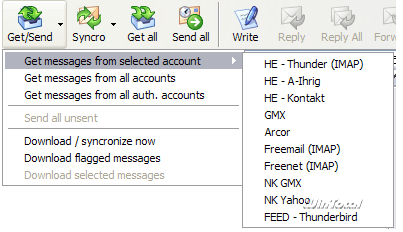
MagicSLR
MagicSLR adds additional toolbar buttons for «Send and receive». As a result, for example, with just one click, all accounts can be checked for new emails at once and at the same time all emails are sent in the outcome of the post.
|
|
MagicSLR |
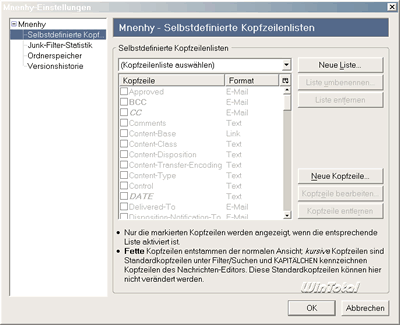
Mnenhy
Mnenhy stores the view settings (head lines, column views …) individually for each folder. Mnenhy also calculates statistics for the built -in spam filter based on the training.
|
|
|
Mnenhy |
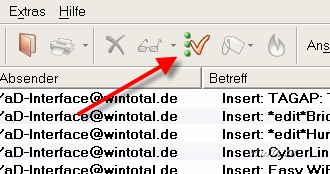
Mark all Read Button
This add-on does exactly what it is named. It marks all emails within a folder using a new toolbar button.
|
|
Mark all Read Button |
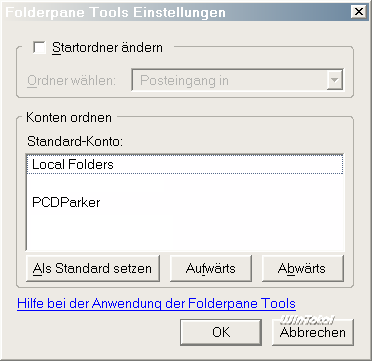
Folderpane Tools
The Add-on FolderPane Tools sorts the order of the mail folders according to their own desire.
|
|
Folderpane Tools |
«Maintenance»
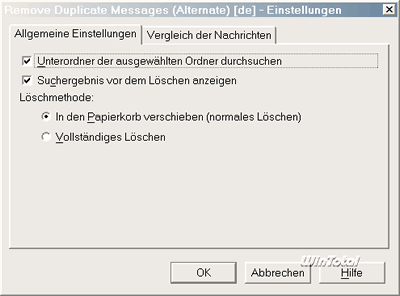
Remove Duplicate Messages
As the name suggests, double emails are determined in the Thunderbird directories and proposed to the user for deletion.
|
|
Remove Duplicate Messages |
«New functions»
Lightning
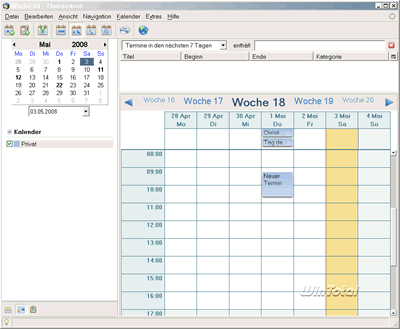
With Lightning, Thunderbird is supplemented by a calendar and note function.
Appointments with other participants can be created via the calendar similar to Outlook. With this add-on, Thunderbird becomes a real Outlook alternative.
|
|
Lightning |
Mail Redirect
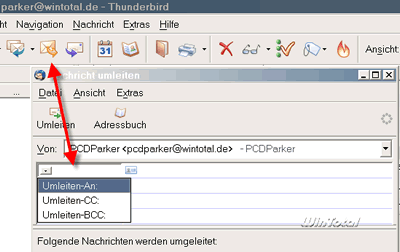
E-mails can be redirected in Thunderbird via this add-on. This means that the recipient of a redirected email does not answer a self, but the original author of the redirected mail.
This is helpful if an email was accidentally sent to an incorrect addressee and you want to forward the mail on the right addressee if you know it.
|
|
Mail Redirect |
«Write email»
Change quote and reply format
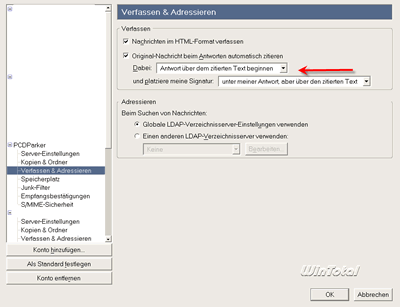
In some cases, Thunderbird's standard response text is somewhat poor. For example, the time, the addressee and the subject line are missing for every answer email. With change quote and replies format, the answer text from Thunderbird can be easily adjusted to your own needs.
In order to make the answers clearer, it is also a good idea to always have the quoted text «below» a new answer email through the «Write & address» account options. This makes an overview for email traffic easier.
|
|
Change quote and reply format |
German dictionary
In order to use the German spelling examination, the presence of a German dictionary is necessary. This can be downloaded here.
Dictionary Switcher
If emails are often written in several languages, it is helpful to select the different dictionaries with a click of the status.
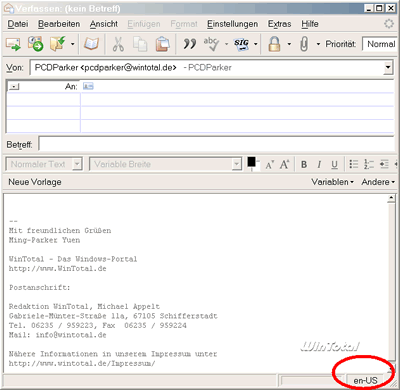
|
|
Dictionary Switcher |
Signature Switch
With Signature Switch, several signature templates can be created, which can be selected for every new email.
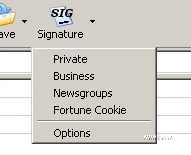
|
|
Signature Switch |
Quicktext
Quick text allows it to create different text templates, which can then be inserted into the mail editor by clicking on the mouse. This is very time-saving for recurring texts (Internet auctions, accounting, greeting phrases …).
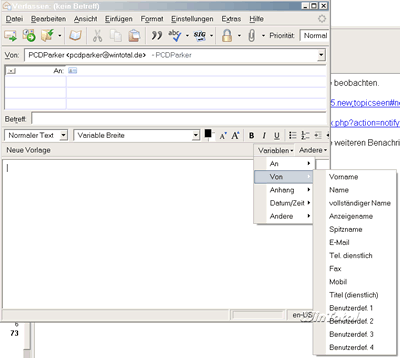
|
|
Quicktext |
With this abundance of add-ons, Thunderbird should get a similar range of functions and a similar user-friendliness as its current competitors.
Other useful add-ons are located on the official Mozilla Thunderbird add-on homepage
(56 votes, average: 4,20 out of 5) Loading…


latest posts published

5k player-love of another audio/video reader

Search Lookeen 10 desktop replaces Windows Search

How to improve battery life in Samsung Galaxy S6

The perfect game pc in the test – What should really be able to do

How many cups of the CPU really need it

What is the modern configuration guest?

Why do memory stick folders appear as shortcuts?

O & O & Partitionation Particione Profession in version 3

How to find the right calendar app
