The range of possible Causes of a non-functioning network or internet connection It is large and in extreme cases there are problems only to be fixed by a complete reinstallation. Windows itself offers helperswhich a large part of the Can fix problems. In the following article we present four solutions for network and internet problems.
1. The network problem treatment for LAN and WLAN
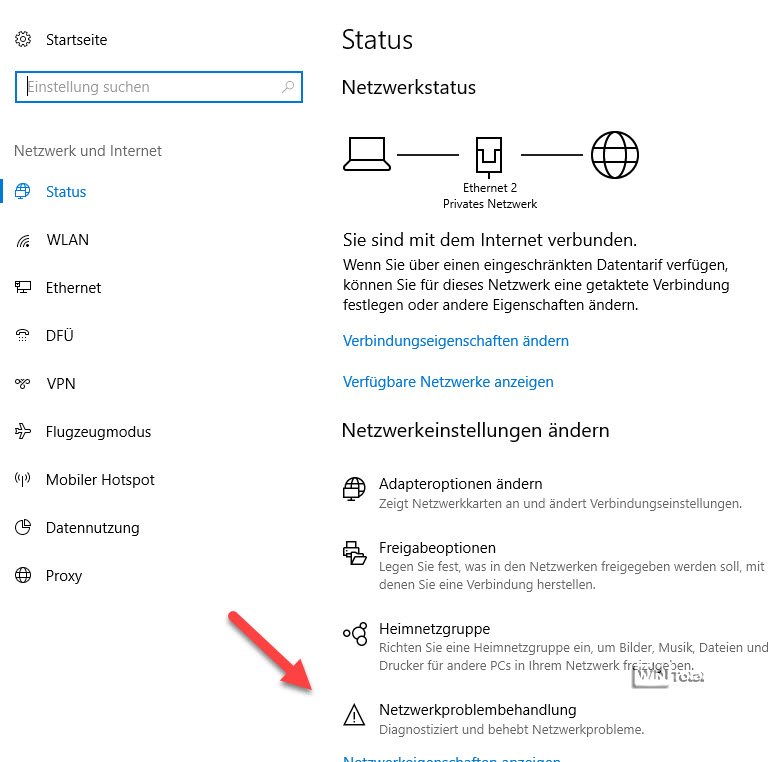
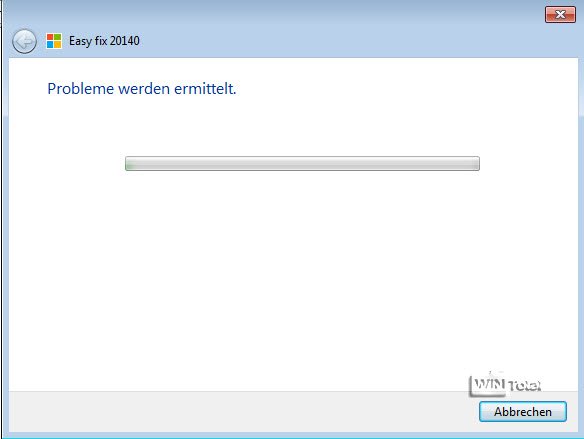
Windows itself can fix most of the usual network problems if you ask the helper network problem treatment to it, but which is not known to many users.
Notice: If you use a WLAN connection, you should first exclude it as a source of error (poor or no reception) and connect the computer to the router with a cable.
The network problem treatment can be found in the settings on «Network and Internet».
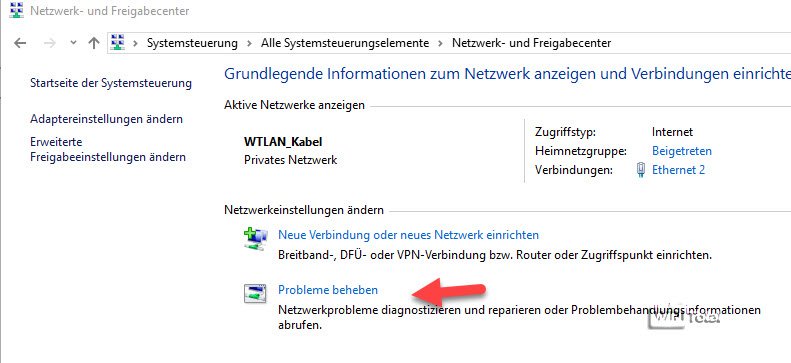
The same problem solver is also included in Windows 7 or Windows 8, where the control and release center is hidden in the control and release center as «Problems» or in the «Problem treatment» system control element.
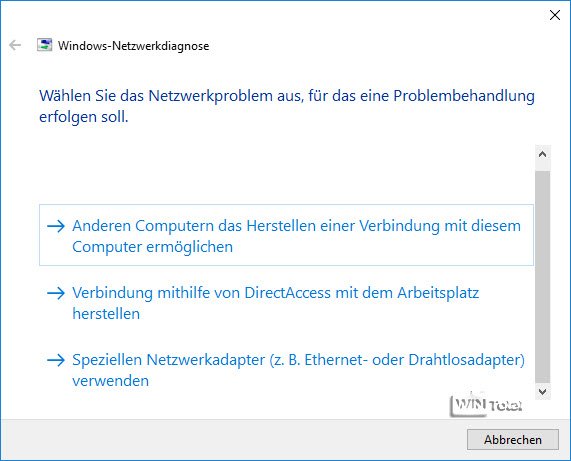
The network problem treatment module diagnoses network problems and solves them independently. To do this, the assistant first tries to establish a network and an internet connection and- should this not work- to fix any errors. If internet access is possible, other problems can be specified.
2. Network reset
Another method for solving network problems is a reset of the network settings. This measure means that all settings around network adapters and network components are completely newly initiated, existing settings are overwritten.
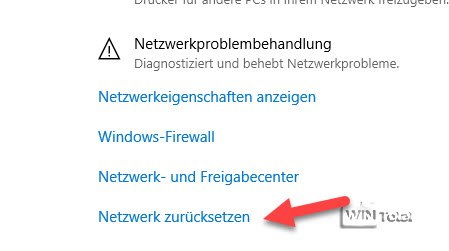
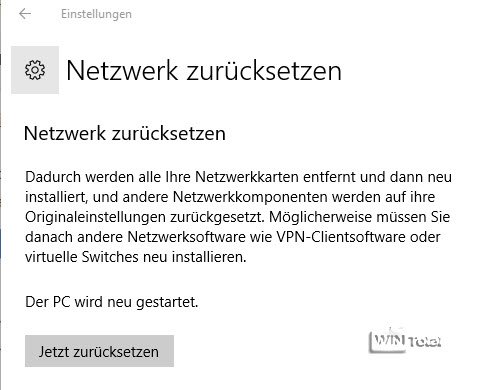
The «Reset network» function can also be found in Windows 10 in the settings for the network at the bottom as a text link.
Before the start, the user receives another indication of what exactly the function causes.
For Windows 7 or Windows 8, the «Reset network» function is not available as a button. You can use the commands via the command line as an administrator
netsh int ip reset catalog c:resetlog.txt

netsh winsock reset
reset the Internet protocol (TCP/IPV4) to the original state. Alternatively, Microsoft offers the Netshell service program for Windows XP to Windows 8.1, with which you can reset TCP/IP.
3. assign IP address and DNS manually
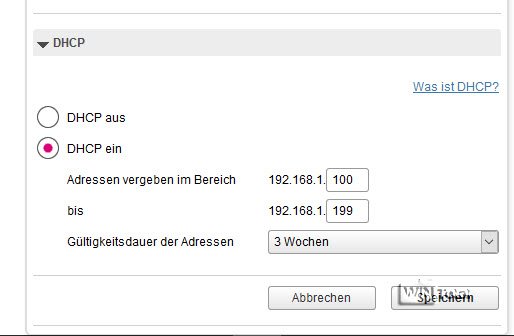
Actually, a client in the network should be assigned an IP address and the DNS name via a router and DHCP.
What is DHCP?
The Dynamic Host Configuration Protocol (DHCP) is a communication protocol with which the clients in the network of a server (in the home area generally of the router) are communicated the network configuration such as IP address, gateway and DNS server.
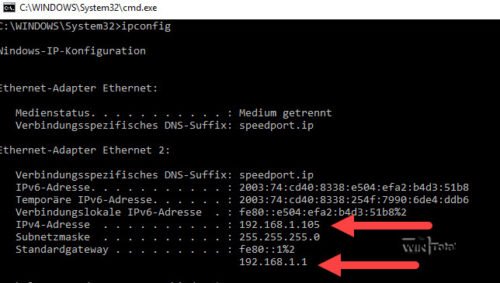
Unfortunately, this does not always work for various reasons. You can check this yourself by entering the ipconfig command in the command line. Windows lists all network adapters and shows their connection properties.
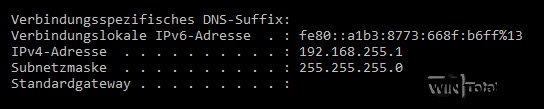
If the IP assignment works, an address from the address room of the router can be found under IPV4 address, here in the example 192.168.1.x (0-255) and the standard gateway bears the IP from the router itself. For example, if, for example, an IP with other information has been received, Windows has not received a IP from the router and gave itself an address. This in turn means that Windows cannot access the network of the router or the Internet connection.
The reasons for this misconduct are varied and not always easy to determine. The easiest way is therefore the manual allocation of IP and DNS.
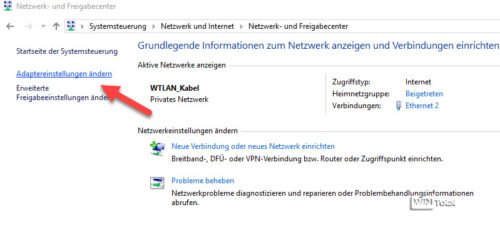
To do this, switch to Windows 7 and Windows 8x. in the control control into the network and release center and here to the «Change adapter settings» link.
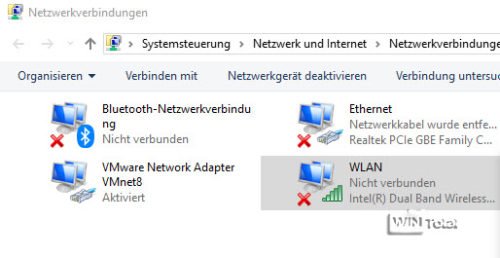
In the following window you get a list of all network adapters.
Under Windows 10 you can reach the same window via «Network and Internet» in the settings and here behind the entry «Change adapter options».
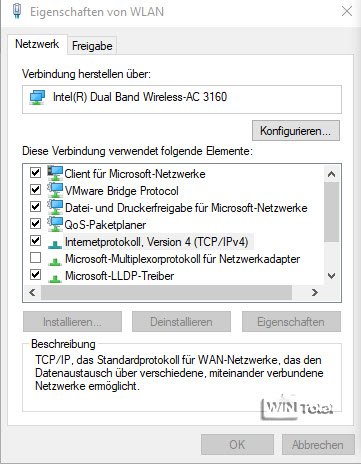
Find the LAN or WLAN connection you are currently using and change with the context menu in its properties.
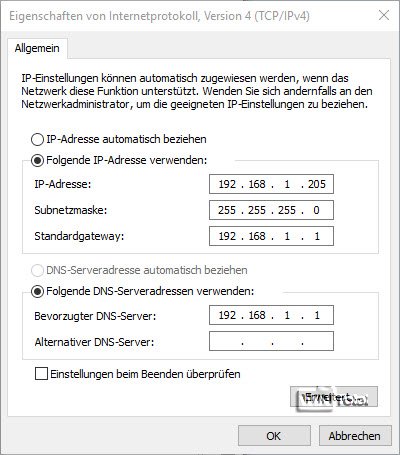
Select the IPV4 protocol here and then click on properties. In the following window, you can now manually assign an IP address from the address room of the router and enter the IP of the router on standard gateway and DNS server.
What are DNS servers and standard gateway
The DNS server is necessary to dissolve domain names to an IP address and a kind of phone book for the Internet, since server such as Google.de or pregar.top is addressed via an IP address, but we can better remember names than numbers. As a rule, this task takes over in home networks of the router, which also acts as a standard gateway and conveyed between the local network (LAN) and external network (WAN).
Private IP
For private, non-public networks, the IP areas from 192.168.0.0 to 192.168.255.255 are released. If you set an address area for your network via the router, it could therefore be, for example, 192.168.1.1 to 192.168.1.255, subnet mask would then be 255.255.255.0. You can find more information in our tip IP addresses correctly.
In our example we use an IP between 192.168.1.2 and 192.168.1.255, whereby you should not use the IP addresses currently used. A look at the DHCP settings of the router helps something in the search for the right IP.
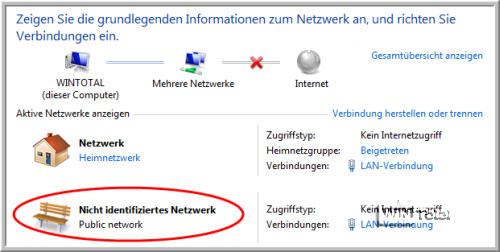
Tipp: With the manual assignment of an IP and DNS and gateway, we were often able to solve the error that a network was displayed as a «unidentified network» and no connection was made with it.
4. Reset of the firewall settings
Finally, settings and filters on Windows Firewall can also be the reason why there are problems with the network or internet.
You can therefore easily use the settings with the command
netsh advfirewall reset
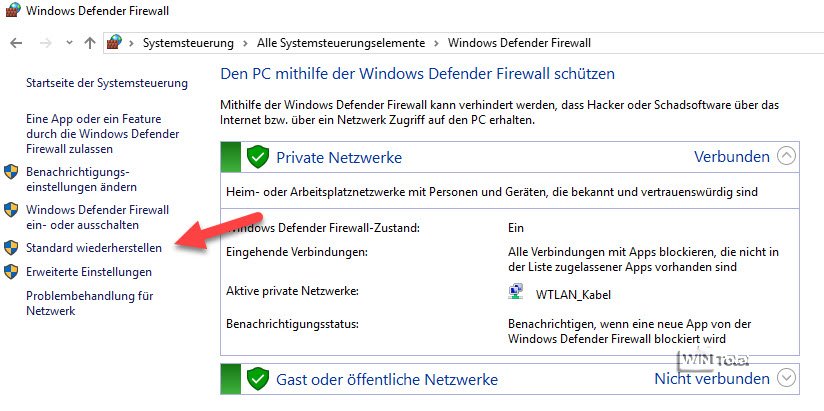
Reset in the command line as administrator. Alternatively, you will also find a «Restore» button in Windows Defender Firewall or Windows Firewall, which resets all settings.
Conclusion
The options presented here should solve most network and internet problems. However, there are other causes and possibilities such as the use of internet security suites or foreign firewalls that may block network traffic with their own program parts. Incorrect network drivers or very banal defective hardware (cable, router) can also be the cause. Only detective work and, if in doubt, an image securing of the system with subsequent reinstallation of Windows helps. If the error is fixed here, a troubleshooting in the defective system is generally not worthwhile.
We use cookies to ensure that we give you the best experience on our website. If you continue to use this site, we will assume that you are happy with this.