
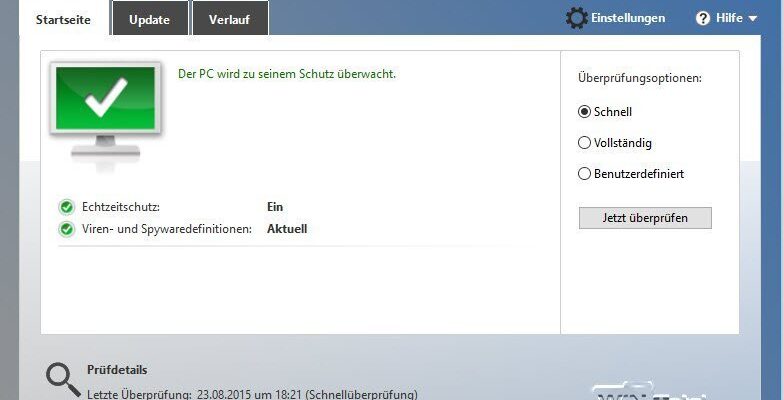
Since Windows 8, Microsoft has integrated a virus protection with the name Windows Defender directly into the system, which was again upgraded to version 1703 with the Creators Update. We present the possibilities and innovations of the Windows Defender again under Windows 10 and also deal with the question of whether, despite the weaker identification rates, it should be preferred to other virus scanners.
History des Windows Defender
Windows's reputation has suffered greatly in the past decade from many virus attacks. Windows XP, Windows Vista and Windows 7 were almost defenseless at these attacks without outside help in the form of virus scanners. Then Microsoft changed his strategy and took care of a proactive virus protection, which was initially offered as a component in Live OneCare and then free of charge as Microsoft Security Essentials.
Download Microsoft Security Essentials
Microsoft Security Essentials appeared in 2009 and has been advertised for download as a free virus protection since then. The virus scanner and guardian is still maintained today and is suitable for Windows Vista and Windows 7 platforms. For Windows XP, the support of which expired in April 2014, the support has been stopped in the meantime.
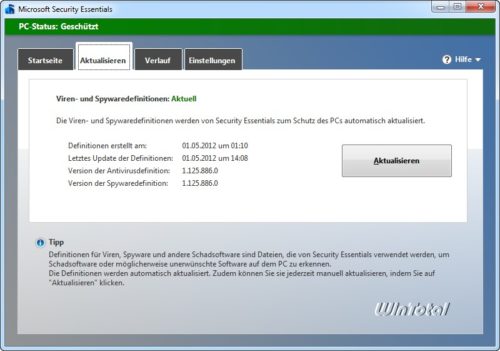
First integration in Windows 8, improvements with Windows 10
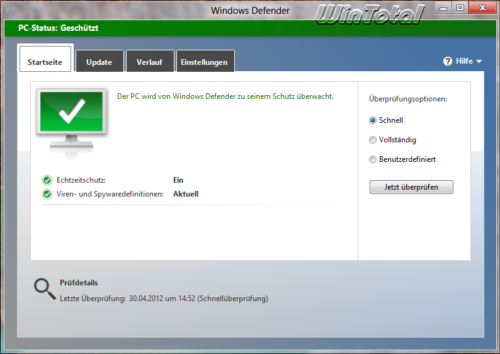
With Windows 8, Microsoft integrated the Windows Defender directly into the operating system as a successor product from Microsoft Security Essentials. A separate Windows Defender download was no longer necessary.
For users, this step already meant a virus protection «Out of the Box» and thus a protective shield until one may choose a solution from third -party manufacturers. Then the Windows Defender deactivates itself.
With Windows 10, the Windows Defender hiked into the settings under update and security and from now on protects Microsoft Edge and the Windows Store with the SmartScreen filter.
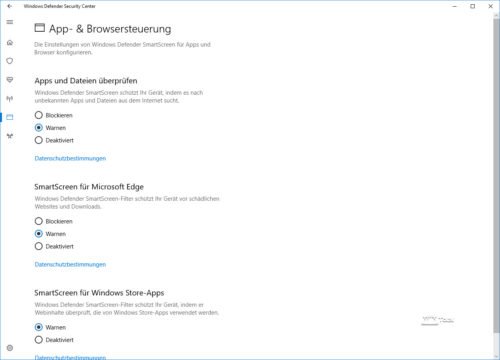
Integration and possibilities of Windows Defender since Windows 10 version 1703 Creators Update
With the Windows 10 Creators Update to version 1703, the Windows Defender was expanded and included in the new Windows Defender Security Center, which not only summarizes the protection options of the Windows Defender, but also firewall, family options, app & browser control and network status.
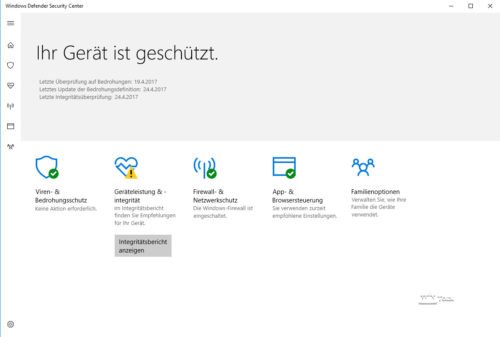
But also at its core there have been improvements to the Windows Defender since the Creators Update, which Microsoft describes in this blog post. Among other things, the protective routines for attacks on memory and kernel were improved by Windows. This would also better equip the Defender for zero-day attacks, i.e. previously unknown security gaps.
Easy operation of the Windows Defender
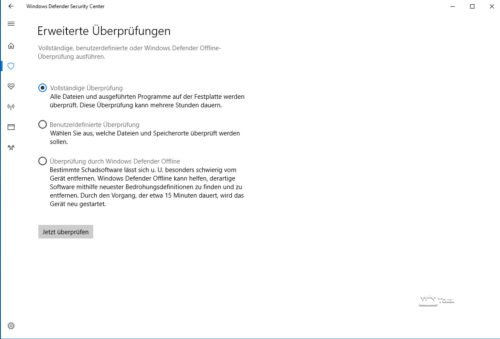
The Windows Defender acts inconspicuously in the background and gets its updates directly via Windows Update. The Windows Defender can not only wake up in the background, but also started manually for the exam. In addition to the complete examination, the user can also carry out a custom test and specifically determine certain storage locations for the examination.
Since the Creators Update, the well-known Defender interface has no longer served as a GUI, but a representation directly in the settings.
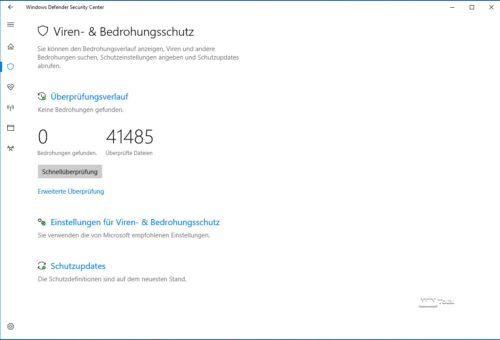
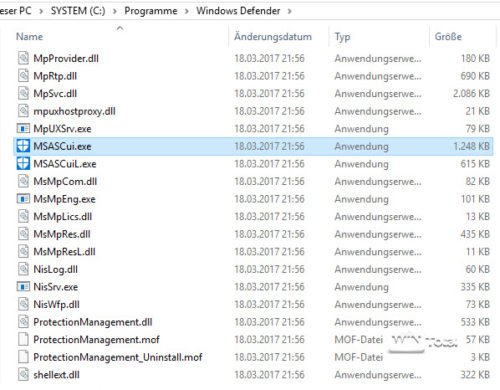
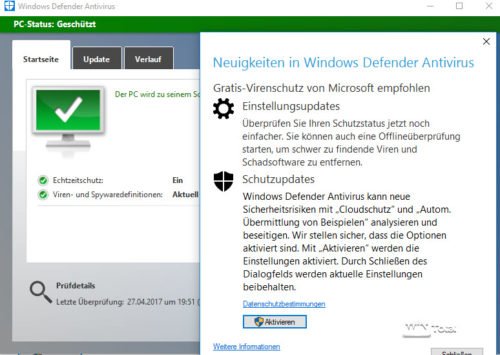
The «classic» view can still be started by the execution of C: Program Files Windows Defender msascui.exe, but needs a certain time, for whatever reason.
Emergency medium
Since many pests defend themselves against the distance in the ongoing operation of Windows, almost all manufacturers of virus protection solutions also involve an emergency medium, usually on Linux based, to remove viruses and other pests from the system.
There is also an emergency medium for the Windows Defender, previously as a Windows Defender offline tool for separate download. Behind it is an emergency medium with Windows Defender as a virus scanner. The peculiarity is that the emergency medium is based on Windows Pre and Eneronment (Windows PE) and thus offers much better hardware support compared to Linux.
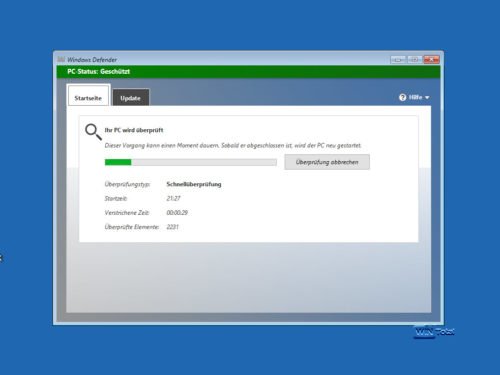
This “offline scanner” has been integrated into Windows 10 since Windows 10 Anniversary Update, is called Windows Defender offline and can be started directly from the current Windows. Windows 10 then boots into the safer environment for the virus scan and for virus removal.
Command line operations
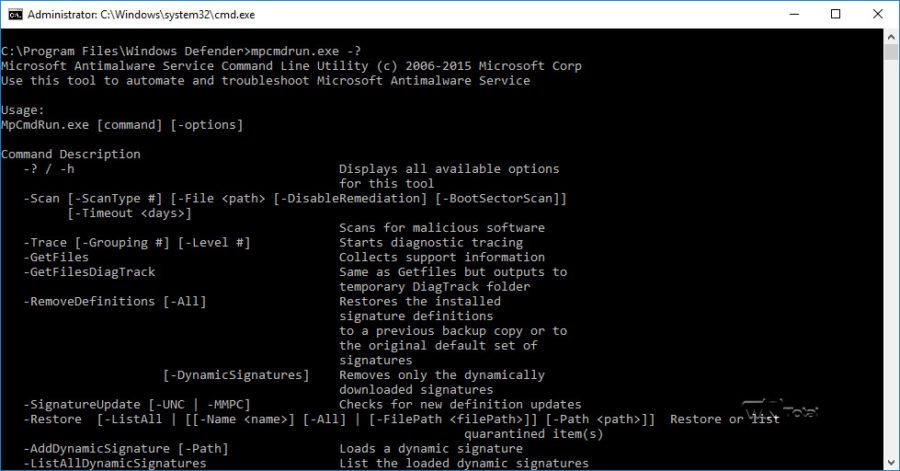
The Windows Defender also offers command line functions via MPCMDRUN.EXE. Microsoft explained the possibilities in a TechNet article Run (and Automate) Windows Defender from the Command Line in detail.
Deactivate Windows Defender
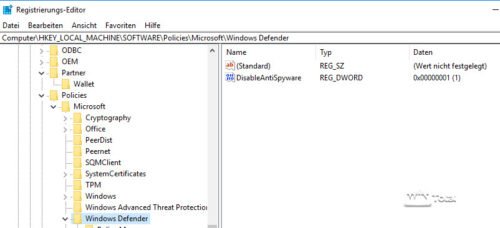
If you want to completely do without the Windows Defender – regardless of whether you use a different virus scanner solution, whereby the Windows Defender would switch off independently – must be in the registry under
HKEY_LOCAL_MACHINESOFTWAREPoliciesMicrosoftWindows Defender
Create a new DWORD (32-bit) entry with the name Disableteantipyware and the value 1.
After a restart, the Windows Defender is deactivated.
Owners of the Pro Edition of Windows 10 can also use the group guideline editor (GPedit.msc) and here the group directive Computer Configuration -> Administrative Templates -> Windows components -> Windows Defender -> Deactivate Windows Defender.
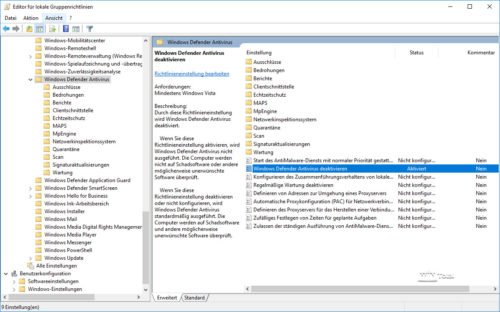
Conversely, you can activate the Windows Defender.
Is the Windows Defender sufficient as a virus protection under Windows 10?
The Windows Defender is regularly on the rear places in comparison tests of virus scanners (last 09/10-2016), especially in identification rates and thus the protective effect compared to the industry average. In the case of AV test, the Windows Defender in version 4.10 under Windows 10 last ranked 16 out of 22 listed programs in October 2016, but still before the well-known Norton Security series. In terms of system load and usability, the Windows Defender was able to score under Windows 10.
If you only look at the pure recognition rate soberly, everything would speak against the free solution from Microsoft, but: The need for deep system integration is a bigger problem for many third-party manufacturers and sometimes causes significant safety problems through the use of external AV solutions. Examples? Symantec, Trend Micro, AVG, Kaspersky noticed very negatively to name just a few.
The browser manufacturers in particular are not enthusiastic about the third solutions, and strangers create security gaps for attacks through sloppy or incorrect implementation. The snake oil industry is even spoken of behind the hand: the foreign virus scanners would basically not offer more security than without active virus protection.
A Mozilla developer calls an important exception: Microsoft Security Essentials and the Windows Defender! The developer cites the reason for this statement that only the virus protection solutions of Microsoft comply with standards in terms of system security. The blog post Disable Your Antivirus Software (Except Microsoft's) from the renowned Google Security expert Tavis Ormandy also hits the same notch.
Conclusion
Much of the users will continue to rely on AV solutions from third-party manufacturers. Windows Defender has developed into a useful alternative. At first glance compared to the competitors, one should not be overestimated, since many of the test samples used are very rare in practice and protects against the «standard attacks» of every virus scanner. The question of whether the foreign virus scanner itself may not even create security problems is much more important, not to mention other problems such as defective mail clients, browsers or other trouble due to the deep integration of foreign AV products. The critical voices of expert developers from the Chrome and Mozilla warehouse on serious security vulnerabilities in AV products from other manufacturers than Microsoft should be considered, especially since today the main input goal for viruses is the web browser itself.
For my part, I have been on the Windows Defender since the Creators Update and leave my ESET license in the corner.
(54 votes, average: 4,20 out of 5) Loading…


latest posts published

5k player-love of another audio/video reader

Search Lookeen 10 desktop replaces Windows Search

How to improve battery life in Samsung Galaxy S6

The perfect game pc in the test – What should really be able to do
How many cups of the CPU really need it

What is the modern configuration guest?

Why do memory stick folders appear as shortcuts?

O & O & Partitionation Particione Profession in version 3

How to find the right calendar app
