
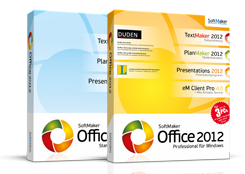
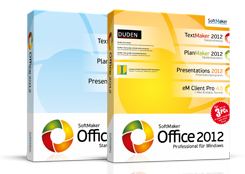
Microsoft Office is the market leader when it comes to office applications. If you are looking for an alternative to this, you should watch «Softmaker Office 2012» or «Softmaker Office Professional 2012». The Office Suite is compatible with MS Word, Excel, PowerPoint and the Pro version with 3 licenses compared to MS Office Standard or Professional, also in terms of price. We looked at the new trial version, which can be used for 30 days without restriction.
The uncomplicated installation
As a trial version, the professional edition is offered as a download. The download file is 286 MB in size. Since this version is Windows 8-compatible, we have installed it on the operating system (Consumer Preview).
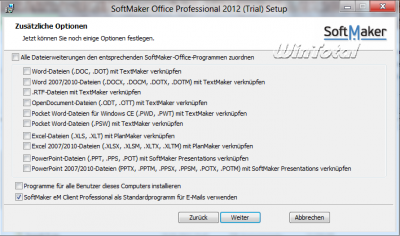
All file extensions from Microsoft Office can be linked to Softmaker Office, but the Suite relies on the assignment of file types as in the previous versions. Only what the user activates is also linked. The Office Suite is compatible with the Microsoft Office versions 2010, 2007, 2003, 2002, 2000 and 97 as well as Windows's Wordpad (*.rtf). Even if no Microsoft Office is installed, MS Office formats can be saved and read.
Which edition contains what?
There are 2 editions of Softmaker Office 2012.
Die Standard Edition:
In addition to textmakers, plan makers, presentation and basicmakers, this also includes a 3-series license that you can use, for example, for your company, for your private desktop PC and for your notebook.
Die Professional Edition:
In addition to textmaker, plan maker, presentation, Basicmaker, EM Client Pro (Personal Information Manager-PIM) also includes the Duden corrector for the grammar examination, spelling check and automatic syllable separation. For foreign language texts there is a spelling examination in 20 languages, synonym dictionaries in 10 languages and automatic syllable separation for 33 languages.
Included are also included in the Pro Edition, which is also offered with a 3-series license,:
- 1 German Duden in the latest 7th edition with more than 500,000 keywords, phrases, meaning and examples
- 1 Foreign dictionary with more than 85,000 foreign words and technical language terms
- 4 Langenscheidt dictionaries (English, French, Italian, Spanish), with which you can translate around 130,000 keywords and twists of German into the foreign language or from foreign language into German
Further, new open source dictionary in Hunspell format can be downloaded free of charge from softmaker.de.
Softmaker Office 2012 can be used under Microsoft Windows from XP (32 or 64 bit). What is new is that Windows 8 (Consumer Preview) is now supported.
The suite also runs on application servers such as Citrix Xenapp and Microsoft Terminal Server. They are also available for Linux, Windows Mobile and Windows CE. An Android version is still on the beta stage.
The programs have also been operated from the USB stick since version 2010. A 2011 WINTOTAL report is already in, which is why we will not do this further at this point. Here we focus on the presentation of the innovations and improvements in version 2012.
New, additional, improved …
TextMaker
In the 2012 version there are still no ribbons, no multifunctional bar or the ribbon, as is known at Microsoft Office (from version 2007). This was deliberately dispensed with. The menu and toolbars and the tools are clear and self-explanatory, as in the previous versions. You can save a document in the text maker's own format ( *.tmd, *.tmv) or in Microsoft-Word format ( *.doc, *.docx, *.dot, *.dotx, *.dotm, *.docm). Formats of OpenOffice, Staroffice, LibreOffice (*.odt,*.ott), Word 6.0 (Wordpad), Rich Text (*.rtf), Pocket Word, Windows CE (*.PSW) and Word-Handheld (*.Pwd,*.Pwt).
All car forms that have been added to MS Office 2007 and 2010 are also supported in the text maker. The graphic objects are new in office-open-XML format. So you can exchange car shapes and drawings with Microsoft Office 2010 if you use new drawing functions from MS Office 2010. Chinese, Japanese and Arabic numbering for paragraphs, page numbers or the number of pages are possible. Textmaker is also ideal for Arabic or Persian texts, the letters of which run from right to left.
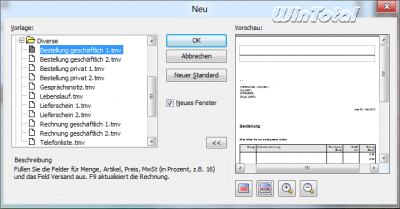
Under «File/NEW» there is now a preview of the document templates with a magnifying glass function «larger»/»smaller» and buttons for the side width display or the all-side display.
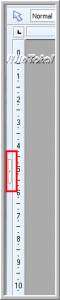
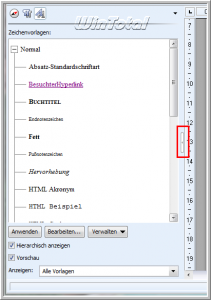
It is also new that the letters of ordinal numbers (2nd3rd) can be automatically high if desired. The new sidebar, which shows all headings, marks, footnotes, tables, pictures etc.
Further news is:
- Cross -references to the text and headings
- Automatic change from URLS into hyperlinks
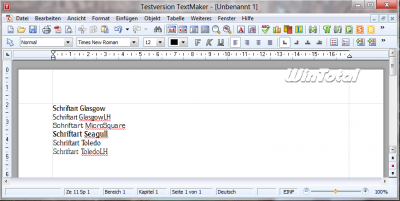
- Clear font lists by hiding off undesirable installed fonts
- Corrections also with footnotes
Planner
Planmaker now also supports separate diagram leaves. Stock diagrams and boxing plots are supported as new diagram types. In addition to the PlanMaker's own format ( *.pmd, *.pmv), other formats such as Microsoft Excel ( *.xlsx, *.xls, *.xltx, *.xlt, *.xlsm, *.xltm), excel symbolic link ( *.lk) and database ( *.dbf).
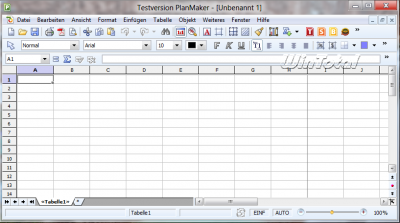
The cell format «Text» (under «Format/cell/text») is new, with which you format cells as text, even if you enter numerical values, which simplifies the input of long data series.
The new command «Text in columns» separates text in cells based on a selected separator and distributes the content to several columns.
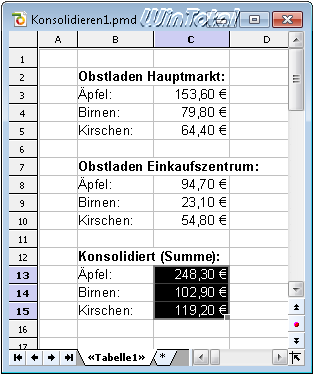
The new function «data consolidation» is responsible:
- For division of cells into several columns
- For new diagram types
- For large tables with many links
- For removing double or empty lines.
Further news is:
- Saving diagrams as graphics files
- New arithmetic functions «mean» and «if error»
- Excel-compatible functions «Copy down» and «Copy from the left»
- The new sidebar
Presentations
Presentations can play sounds across several presentations without the music stopping. In addition to the presentation own format ( *.prd, *.prs, *.prv) you can also save in Microsoft-Powerpoint formats ( *.pptx, *.pptm, *.ppt, *.pot, *.potx, *.ppsx, *.pps, *.ppsm). Password-protected PPT and PPTX files can now be read and saved again.
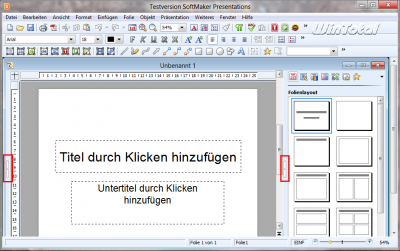
Further news is:
- Simply copy the design master in the master's side view
- New design templates
- Support for the new car shapes of Microsoft Office 2010
- Additional text type variants
- The new sidebar
BasicMaker
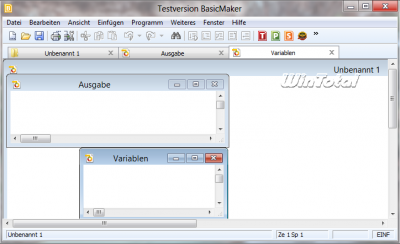
Basic maker lets you write basic macros that perform recurring tasks in textmaker and planned maker. In the syntax, Basicmaker is based on Visual Basic for Applications (VBA), and in the OLE automation model, it is based on Microsoft Office. Textmaker and plan maker can be controlled with almost all programming languages, for example Python, Perl, Ruby, C/C ++ and Delphi. Nothing has changed here.
eM Client Pro 4.0
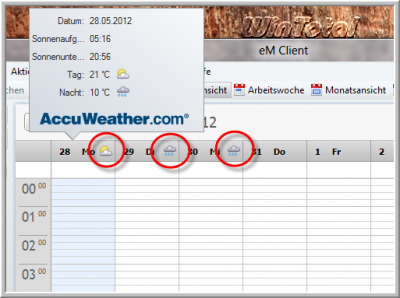
Softmaker EM Client Professional has POP3, SMTP, IMAP, Exchange and combines emails, tasks, appointments, calendars and contacts. The PIM is a kind of counterpart to MS Outlook, but without groupware. The client includes chat programs from MSN, ICQ and Facebook as well as Google Talk and Jabber (XMPP). The local calendar can display the weather preview with a small symbol in the day or week view. The calendar can against Google, Yahoo! or can be replaced. Carddav calendars from Zimbra, Kerio and Oracle are also compatible.
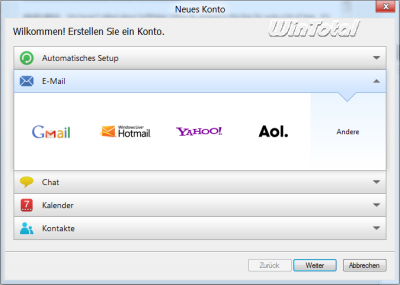
Well-known email accounts such as Gmail, Hotmail, Yahoo! And AOL are already specified, so that only the email address and the password are entered (no server data no longer need to be entered). The rest makes the «automatic setup». However, the program supports all common mail providers.
The import function gets emails, contacts, account settings, etc., whether from Microsoft Outlook (from 2002), Outlook Express, Windows Mail (Vista), Windows Live Mail, the Bat!, Thunderbird etc. also Eml-, CSV, ICS, VCF data and contacts from Facebook are imported. Contacts do not necessarily have to be sorted by name, but can also be sorted by the location or the assigned company. The email client is divided into global, for several email accounts, and local folders. An automatic translation of your e-mails into another language is just as much as there is a number of other features: RSS-Reader, invitation after the IMIP/ITIP standard, full text search in emails, tasks and appointments, regulates, signatures and email templates. Not least with automatic synchronization to sharing to Skype integration, everything that an email client should offer is included. You can find more features on Softmaker – EM Client Pro.
Further news is:
- The service pack (revision 663), which automatically updates the entire office package, also updates Softmaker EM Client Professional to version 4.0.
- A completely new control for the Google calendar (including Google tasks)
- For the first time, there is also the possibility to access Google tasks (Google Tasks).
- A direct import of PST files from Microsoft Outlook is possible without an installed Outlook. Before that, this was only possible if Outlook was installed on the computer in parallel.
- Several email clients can be managed centrally in the company.
- Automatic import of public holidays into the calendar
- Importing events and tasks from Mozilla Lightning
Softmaker Office 2012 also offers PDF export, automatic updates and free support and has improved support for systems with several monitors. Import and export filters and the export of PDF forms have also been improved. Various minor corrections were also made.
Conclusion
It is not (yet) a full-fledged Microsoft Office replacement, since the range of functions from Microsoft Excel is still too powerful and the new PIM in the commercial environment is still missing a serogue analogous to Exchange. If you only use office products for the usual standard tasks or still cannot get used to the Ribbon interface from Microsoft, you will find an inexpensive, practical, well-thought-out alternative in Softmaker Office, which is also very interesting in the professional variant because of the many dictionaries and the Duden corrector.
|
SoftMaker Office 2012 Standard & SoftMaker Office 2012 Professional
Order this product now via Amazon |
| Manufacturer: | Softmaker |
| Preis | Standed Edit (39.95, PMILLION (Edition per edition (section) 9 Licens)) 9 Licens)) 9 Licens); Upbrandate 59.95 € |
| System: | Windows 7, Vista, XP, Windows 8 |
| Positive: | uniform surface, fast familiarization, good scope of services, very good PDF export, free support, price |
| Negative: | The scope of services does not yet come to Microsoft Office |

(25 votes, average: 4,30 out of 5) Loading…


latest posts published

5k player-love of another audio/video reader

Search Lookeen 10 desktop replaces Windows Search

How to improve battery life in Samsung Galaxy S6

The perfect game pc in the test – What should really be able to do
How many cups of the CPU really need it

What is the modern configuration guest?

Why do memory stick folders appear as shortcuts?

O & O & Partitionation Particione Profession in version 3
How to find the right calendar app
