

SSD or Solid State Drive – is a very fast data storage device for your computer. In fact, until you work on a computer, where instead of the main hard disk (better-the only one) is installed SSD, you will not understand, what is hidden behind this «fast». In this article about, SSD data storage device and what you would need. See also: How do I connect SSD to your computer
In recent years the SSD units have become more accessible at the price. However, they are still more expensive compared to traditional HDD hard disk disk. So what is SSD, what are the benefits of its use, what is the difference between SSD and HDD?
What is SSD?
The technology of SSD storage devices is quite old, it is present on the market in various forms for several decades. The first of them were based on RAM and used only in the most expensive computers. In the 90s, SSD appeared, based on flash memory, only because of the high price they could not enter the consumer market. During the 2000s the price of Flash memory continues to decrease and at the end of the decade SSDs began to appear in ordinary computers.
What is SSD? For the beginning about the usual hard disk. HDD – is a set of metal discs, covered with ferromagnet, which rotate on an axis. The information can be written on a magnetic surface of these discs using a small mechanical head. The data is stored by changing the polarity of the magnetic elements on the discs. When you want something to write on HDD, the discs rotate, the head moves, looking for the desired location, and the data is written or read.
The SSDs on the contrary have no mechanical parts. Rather, they are similar to USB sticks. Most SSDs use NAND memory for storage-non-volatile memory, which does not need electrical energy to storage data (as opposed, for example, RAM on your computer). More information about NAND memory in the MLC or TLC article – which is better for SSD? (and about v-nand, 3d nand and SLC)
SSD or HDD – what do you need to know before purchase
Now, when I learned what SSD is, it would be good to find out what is the advantage and disadvantage compared to the usual HDD. Here are some differences:
Rotation time around the axis: this feature is valid for HDD – for example, when the computer returns from sleep (Sleep), you can hear click or rotation sound, lasting for a second or two. In SSD the rotation time is missing.
Data access time: In this feature the SSD speed is about 100 times compared to the usual hard disk. Due to the fact that the mechanical search is missing, reading data on SSD is almost instantaneous.
Noise: SSD does not produce noise. I think you know what noise can produce the usual hard drive.
Reliability: Defecting the large number of hard disks is caused by mechanical damage. At one point, after thousands of hours of use, the mechanical parts of the hard disk simply wear out. At the same time, if we talk about the average of life, the hard disks win, and the limit of writing cycles are missing.
In turn, SSDs have limited number of writing cycles. Most critics highlight this fact. In fact, during normal use it is not so easy to reach these limits. For sale we can find SSDs with the 3 and 5-year warranty. Sudden defecting of SSD-is rather an exception than a rule. In addition, if the hard disk fails suddenly, it means you have to look for someone, who will recover your data, with SSD everything is different, you will know in advance that it will soon have to change-it «ages» and does not die suddenly, some of the blocks become available only for reading, and the system will warn you about the SSD status.
Electric power supply: SSDs consume 40-60% less electricity compared to regular HDD. This fact allows, for example, to expand the operating life of the battery laptop using SSD.
Price: SSD is more expensive compared to HDD in terms of gigabytes. However, they are much cheaper than 3-4 years ago and are already more accessible at the price.
What would you have to know?
As a user, the only difference you can see working on the computer – is the significant speed increase. However, to extend the SSD’s lifespan you will need to follow some important rules:
Do not defragment SSD. Defragment is useless for SSD and reduces operating time. Defragment is a process of physically moving fragmented files to a place, which are in different parts of the hard disk, which reduces the time required for mechanical search action. In SSD this action is not necessary, because it has no mechanical parts, and the search time is approaching zero. By default, in Windows 7 and Windows 8 SSD defragmentation is deactivated.
Disable index service. If on the operating system you use a faster search file indexation service, deactivate it. The speed of reading and searching for information is sufficient to give up indexing files.
The operating system with trim support. The Trim command allows the operating system to react with SSD and tells them what blocks are not used. Without support for this order, the performance of the SSD will decrease. Currently Trim has support in Windows 7, Windows 8, Mac OS X 10.6.6 and the subsequent version, as well as in Linux. Windows XP does not provide trim support.
SSD should not be filled to maximum capacity. Read the specifications of your SSD. Most manufacturers recommend leaving free space 10-20% of its capacity. This space should be free to be used by special algorithms, which extend the SSD’s lifespan, distributing NAND memory data for better performance.
Keeps data on a separate hard drive. Despite lowering prices for SSD, it is not recommended to keep media or other data on SSD. Data, such as movies, music or images better to keep on a separate hard disk, these files do not need high speed access, HDD is cheaper. This way you will extend the VAIATA of SSD.
The quantity of RAM as high as possible. Nowadays RAM is very cheap. The more RAM you will have in the computer, the less the operating system will resort to SSD for swap files.
Do you really need SSD?
If most of the points listed below match your needs and you are willing to spend some money, then you can make a purchase:
- Using SSD the time from pressing the power button until the browser opens is minimal.
- With SSD, starting Photoshop, you will not have time to see their authors, and the speed in games will increase 10 times or even more.
- You want a quieter computer.
- You are willing to pay more for megabyte, but get higher speed. Despite lowering price for SSD, they are still more expensive than ordinary hard disks.
Here
| Capacity (GB): | 120 |
| The interface: | SATA 3 |
| Read transfer rate (MB/s): | 555 |
| Writing transfer rate (MB/s): | 510 |
| MTBF: | 1000000 ore |
| Guarantee: | 36 months |
See Details Flash SSD Kingston Hyperx 3K 2.5
Solid-State Drive (SSD) Intel 530 Series
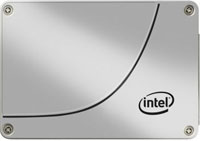
| Capacity (GB): | 120 |
| The interface: | SATA 3 |
| Read transfer rate (MB/s): | 540 |
| Writing transfer rate (MB/s): | 490 |
| SATA transfer rate (MB/s): | 600 |
| Guarantee: | 60 months |
See Solid-Set Drive details (SSD) Intel 530 Series
Solid State Drive (SSD) Samsung 840 EVO Basic
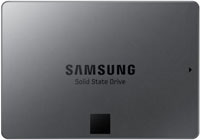
| Capacity (GB): | 120 |
| The interface: | SATA 3 |
| Read transfer rate (MB/s): | 540 |
| Writing transfer rate (MB/s): | 410 |
| Guarantee: | 36 months |
See Details Solid State Drive (SSD) Samsung 840 Evo Basic
latest posts published

5k player-love of another audio/video reader

Search Lookeen 10 desktop replaces Windows Search

How to improve battery life in Samsung Galaxy S6

The perfect game pc in the test – What should really be able to do

How many cups of the CPU really need it

What is the modern configuration guest?

Why do memory stick folders appear as shortcuts?

O & O & Partitionation Particione Profession in version 3

How to find the right calendar app
