

In various forums, including the Wintotal Forum, you often read about problems in interaction between Windows and Linux. Most of the time, this is about boot problems, which lead to an operating system can no longer be started. Ultimately, many give up frustrated and re -format the hard drive (s). I wrote this guide with the intention of being able to fix one or the other problem in advance.
I would like to emphasize that this guide is intended as an example. Of course, everyone is free to take other operating systems.
1. The requirements
What is needed for these instructions:
- Lots of time and patience
- The individual operating systems on CD or DVD
- The «Partition Magic» diskettes-other partitioning programs, e.g. Acronis Disk Director, are also possible
- Recommended: a Knoppix CD if you «have» the boot loader.
- A Windows XP-CD (optionally a Windows 2000 CD) to restore the MBR if you didn't like this scenario
As a boot loader, I personally prefer the Grub (Grand Unified Bootloader), which is the only boot loader to be able to address the hard drives physically (that is, without «drivers»). Grub does not need information from the BIOS like other boot loaders. This enables Grub to boot every operating system that can be run on X86 or AMD64 platforms. Another advantage of Grub is that the boot loader of the individual operating systems is untouched and it remains fully functional.
2. The installation of the systems
As an installation order, it has proven itself to install the Windows systems first. In the configuration I proposed, Windows XP is installed on the first partition.
Then Windows 2000 is installed. Finally, the various Linux systems find their way onto the plate.
In this guide, I assume that there are two hard drives in the computer. This should make it clear that Grub is also able to boot from second or third plates. How an operating system is installed should be known.
In the first step, Windows XP is already on the hard drive.
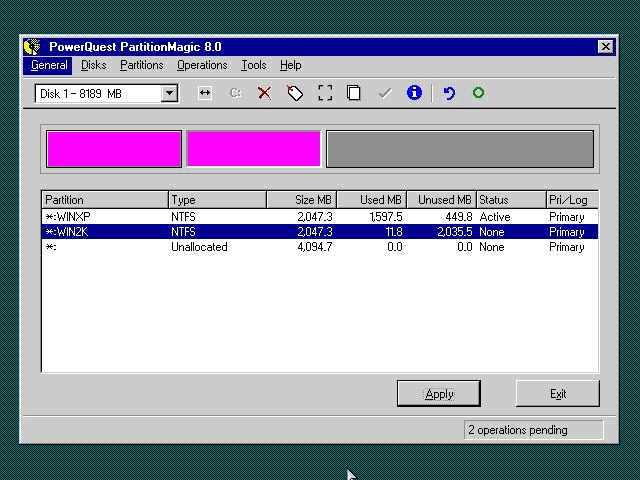
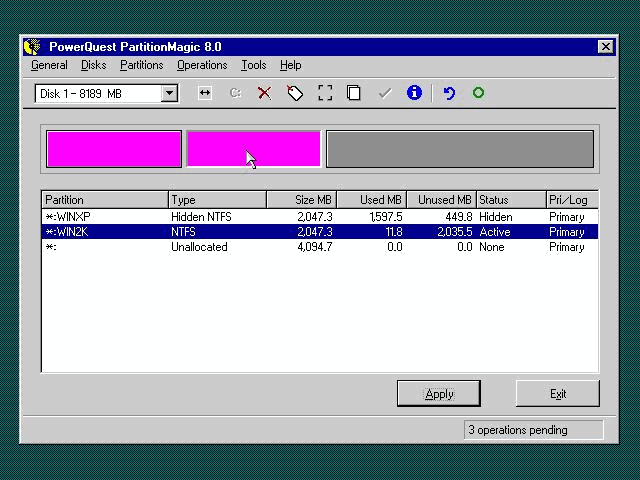
Next we boat from the Magic Discette partition, «hide» the Windows XP partition before the upcoming Windows 2000 installation and create the partition for Windows 2000. To hide the XP partition, it is enough to mark the Windows 2000 partition as active.
previously:
|
|
2 partitions first |
afterward:
|
|
2. Partition active |
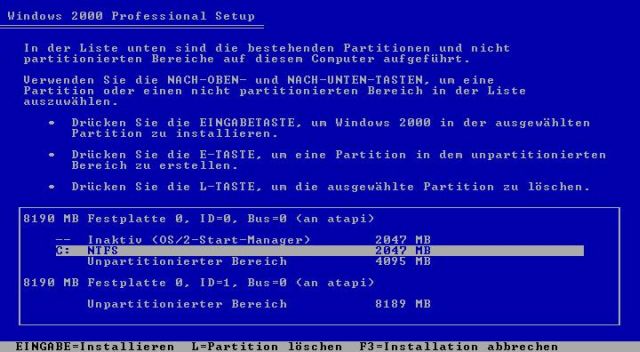
Now we are booting from the Windows 2000 CD and «clicking» through to partitioning.
Here we see the Windows XP partition as «inactive». You don't have to be confused by the «OS2 boat manager». The hiding of individual partitions was «normal» at the OS/2 boat manager, so Windows accepts, it is OS2 in this partition. Of course, we select the Windows 2000 partition created beforehand, which is now shown to us as «C:». When the following message that the plate is not formatted, we say «Continue installation». Then we format the hard drive with NTFS.
|
|
Setup von Windows 2000 |
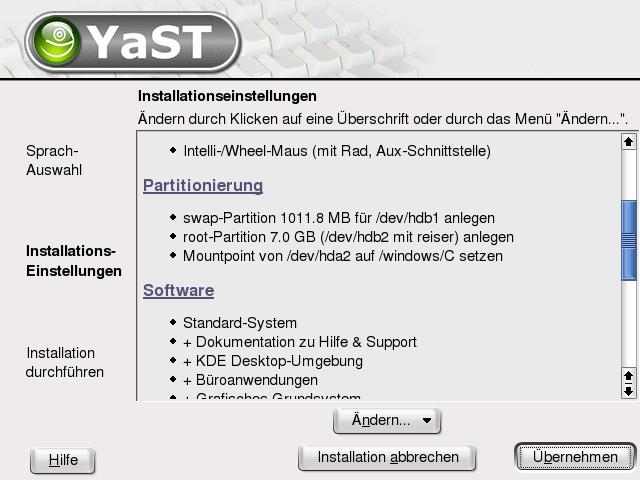
Now we already have Windows XP and Windows 2000 on the hard drive. We can now go straight to the installation of Suse Linux. First we boot from the Suse Linux-CD/DVD and «click» until we receive the installation overview.
Important: do not go the way of partitioning proposed by Suse, but manually create the partitions!
|
|
Seup from Suse with Yast |
We choose «partitioning» and here (important!) «Create partition according to your own ideas». In the next step we select «Manual Partitioning» and receive the following overview:
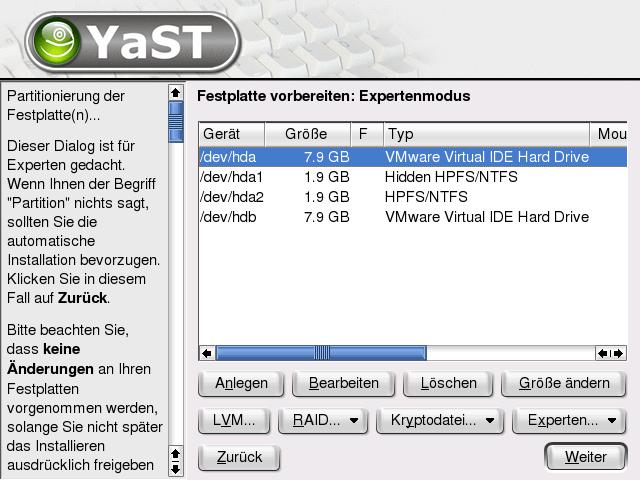
|
|
Seup from Suse with Yast |
Now we create the partitions. Please do not forget the swap partition-a size from half to entire RAM is enough. The swap partition can also be used for several Linux systems. Here is the result of the partitioning:
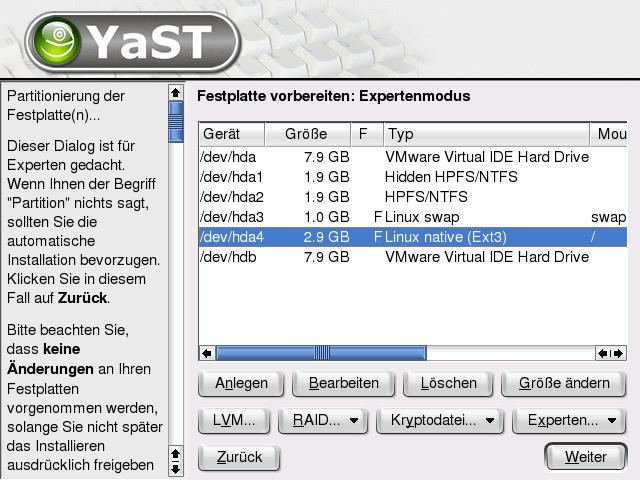
|
|
Seup from Suse with Yast |
Summary:
first hard drive
1. Partition (primary): Windows XP
2. Partition (primary): Windows 2000
3. Partition (primary): SWAP partition (the outsourcing file under Linux)
4. Partition (primary): Suse Linux
The second hard drive is currently still empty (untalented).
The parcel selection can then be made according to your own ideas.
Since we later want to use the Bootloader from Debian, we change the SUSE boot loader so that only the SUSE partition is loaded:
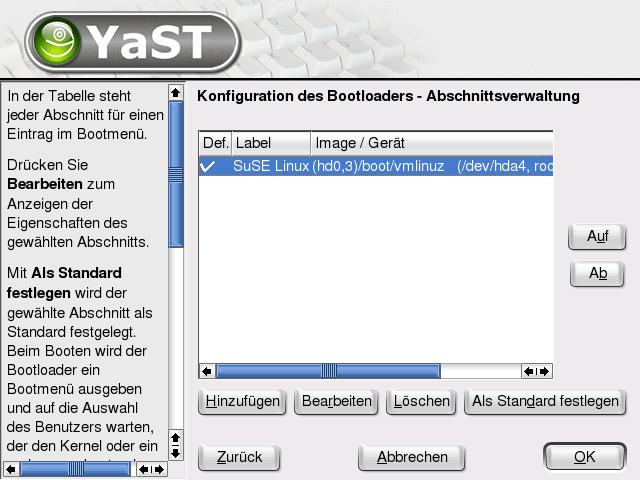
|
|
Set bootloader |
note: If only a Linux system is to be installed, the configuration of the boot loader must already be configured here. The next picture shows the configuration with Windows XP, Windows 2000 and Suse Linux.
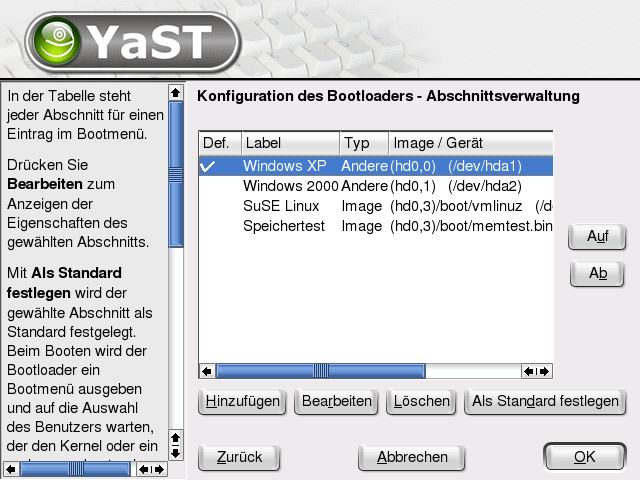
|
|
Set the boot loader if only a Linux system is to be installed |
(If only a Linux system is to be installed, in this article you can jump directly to the «Final Test» point, since the steps for the Debian configuration are now coming.)
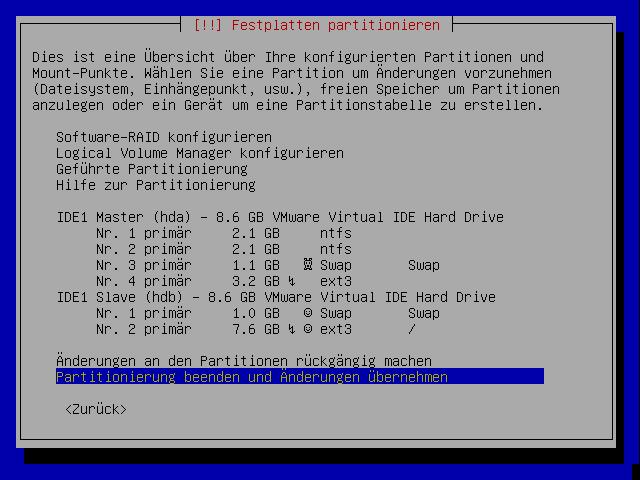
After the installation of Suse Linux, we take the Debian CD and boot from it. Here, too, we select manual partitioning. We now want to install Debian on the second hard drive. To do this, we partition the hard drive. It is important that we mark the Debian partition as active! The result can be seen here (for everyone who still uses Debian Woody, the picture looks a little different, but is in principle similar):
|
|
Debian Setup |
Before we reboot, however, we have to do something …
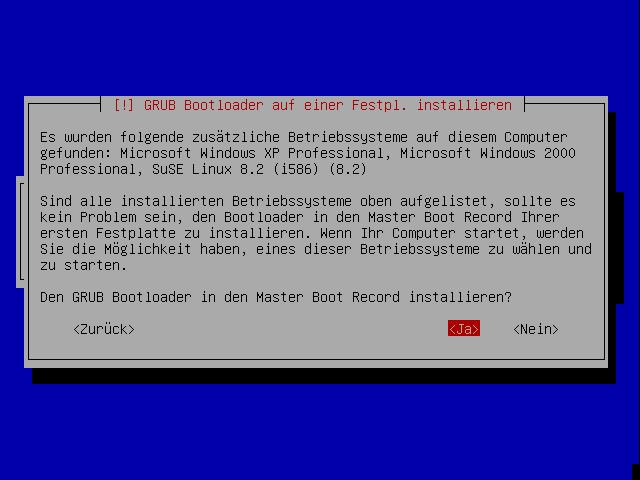
Anyone who has carefully careful will ask themselves how the boot loader can now be addressed on the second hard drive (i.e. booting: the other operating systems). We have to write the Bootloader of the Debian partition in the MBR (Master boat record) of the first record. The new Debian installer is intelligent enough to find the already installed operating systems and «notices» that the boot loader must be written in the MBR of the first plate. A corresponding message is issued. This question absolutely answer with «yes»:
|
|
Important: here with yes answers |
3. Nach configuration under Debian Sarge
We have now installed all 4 operating systems. 3 of them are on the first hard drive, the fourth on the second hard drive.
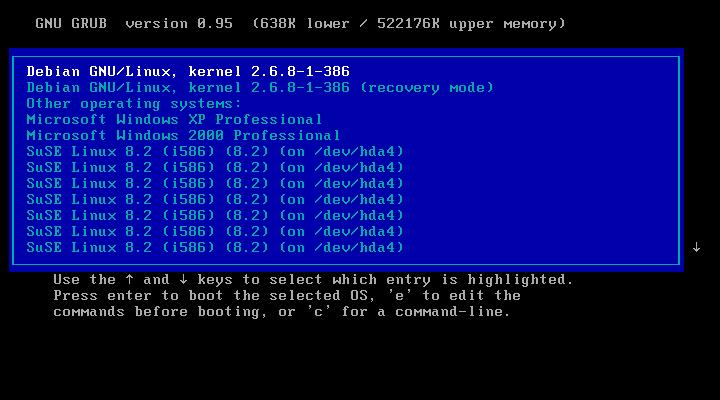
Now we reboot the last installed Debian Sarge. Unfortunately, some manual post -configuration work is still required, since the first boat does not really look «sparkling»:
|
|
Boot before change |
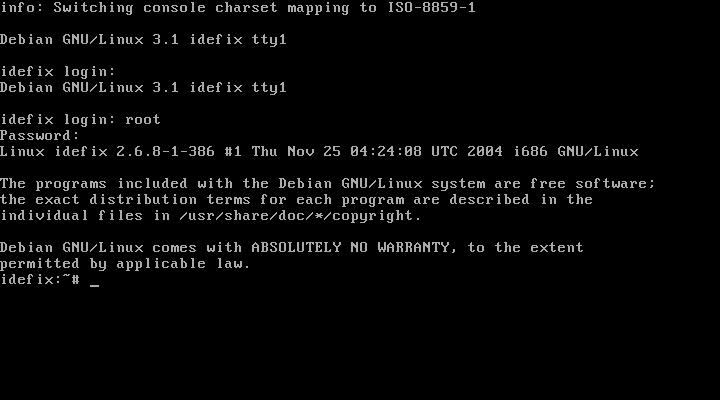
To do this, we start the Debian Sarge (here with Debian Gnu/Linux, Kernel 2.6.8.1-386) and do the rest of the installation. We log into our Debian Sarge as a «root».
|
|
Log in as root |
First of all, we have to make sure that two packages are installed. We enter the following:
«APT-GET Install VIM MC». This installs the «VIM» editor (for the advanced) and the «Midnight Commander» (for the not quite so experienced).
Now we first edit the file «Sources.list». We find these in the directory /etc /apt. To do this, we either use the «VIM» or better «McEdit», the editor of the Midnight Commander.
The file should then look as follows:

|
|
Install 2 packages |
An “apt-get update” fetches the new package information from the Debian server. This can take some time depending on the Internet connection. As soon as all packet information has been picked up, the following message appears:
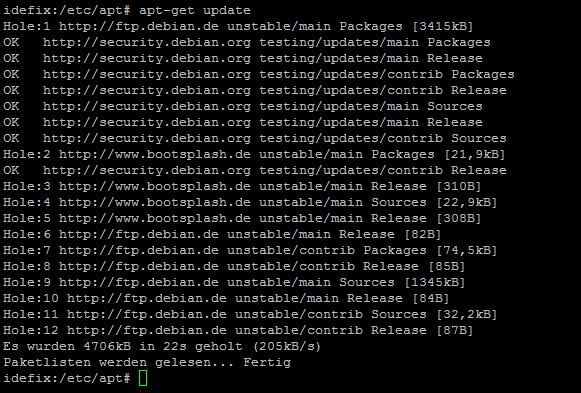
|
|
output |
Why the whole thing? Well, the Debian project currently provides around 9,000 official programs. Unfortunately, some packages are not yet in the official product catalog of Debian, which is why we have to fall back on some “testing packages”. Now follows the installation of the bootplash files and the «memtest86» storage tester «Memtest86» mentioned too often in the Wintal Forum. We enter the following:
„apt-get install grub-splashimages memtest86 sysutils hwtools“
As soon as these packages are installed, we start to make the boot loader a little more «friendlier».
To do this, we edit the «menu.lst» file. This is located under /Boot /Grub. The file should look as follows after processing:
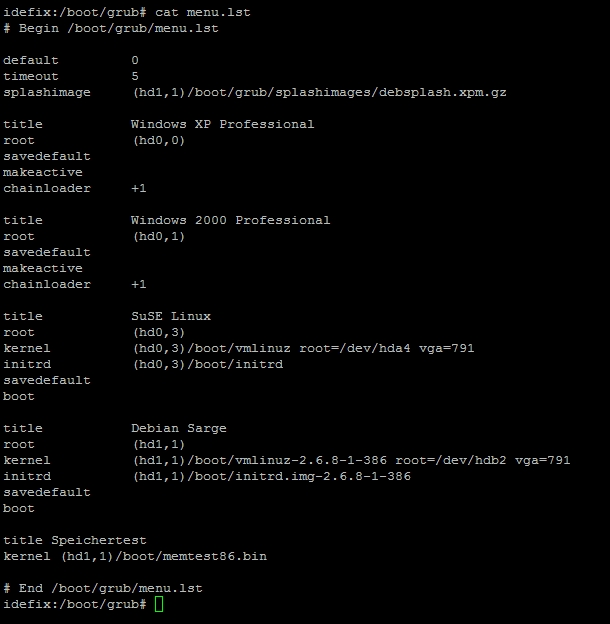
|
|
Edit by menu.lst |
For explanation:
Under Linux, the hard drives are «counted» as follows:
1. (IDE) hard drive HDA
2. (IDE) hard drive HDB
1. (SCSI) hard drive SDA (under SCSI also falls under S-ATA hard drives)
1. Partition of the 1st hard drive HDA1
2. Partition of the 1st hard drive HDA2
The bootloader Grub unfortunately counts a little differently, which always leads to confusion.
1. (IDE) hard drive HD0
2. (IDE) hard drive HD1
1. (SCSI) hard drive HD0 (note that Grub does not «know» SCSI plates-for Grub there are only «IDE» hard drives.)
1. Partition of the 1st hard drive HD0.0 (here the count does not begin at 1, but at 0.)
2. Partition of the 1st hard drive HD0.1
Now that we have adjusted the boot loader, we have to boot Magic and make the Windows XP partition visible again, otherwise there will be a bluescreen while booting.
4. The final test
There is still the final test of all systems. I simply booted every system once and created a screenshot.
The boot loader with the operating system selection:
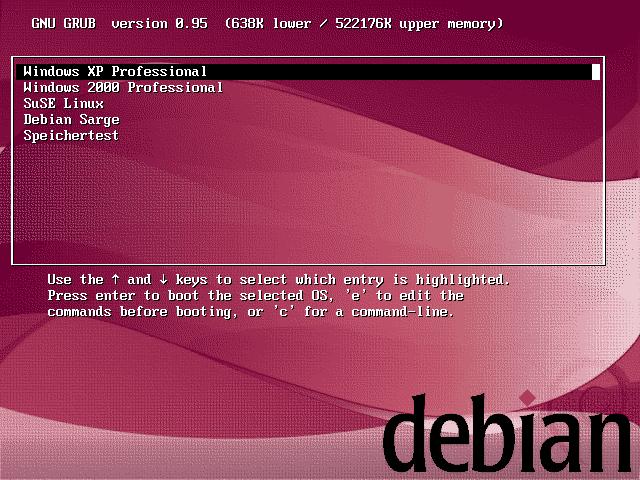
|
|
New boot menu |
Windows XP:
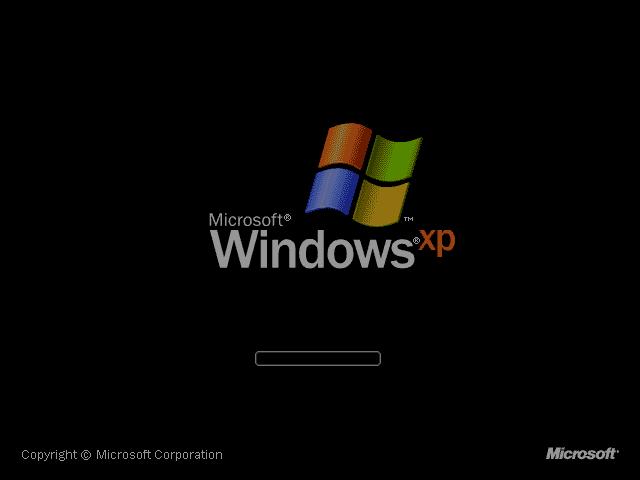
|
|
Windows XP |
Windows 2000:
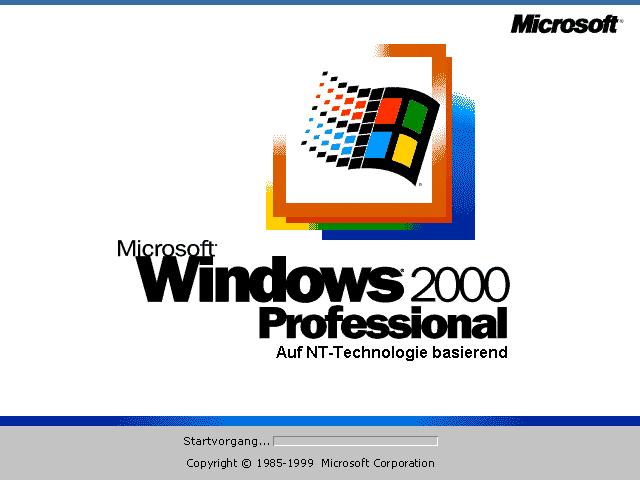
|
|
Windows 2000 |
SuSE Linux:
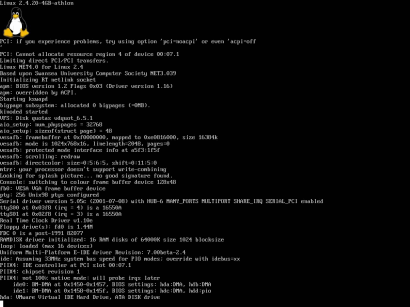
|
|
SuSE |
Debian Sarge:
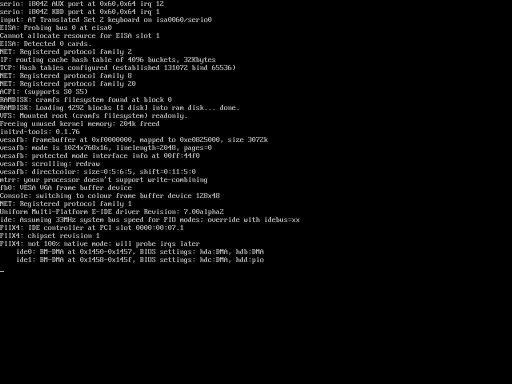
|
|
Debian Sarge |
memtest86:
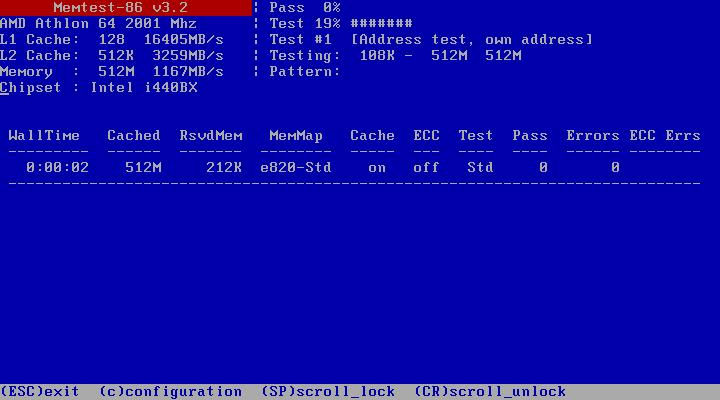
|
|
Memtest |
5. Remove the Linux boat loader
A common question in the Wintal Forum is: «How do I get rid of the Linux boat loader again?». The following procedure is necessary:
You boot from the Windows XP-CD and start the recovery console. You will be asked which installation you want to register. This depends on which operating system you want to «keep». As an example, I just take the Windows XP installation. «Fixmbr» is entered in the console.
This command creates a new master boot record (MBR), with which you can only boot Windows XP. Similarly, you can also log in to the Windows 2000 installation, with the result that only Windows 2000 starts afterwards. The other partitions can then be used again for other purposes.
6. Alternative variants
This sample configuration can also be “shortened”. For example, if you only want to install Windows XP and Suse Linux, the other steps can simply be left out. To do this, the boot loader must be configured under Suse Linux. Of course, the “hiding” of the Windows 2000 installation is also no longer necessary.
Since Suse Linux from version 8.x is already delivering a patched creation, you only have to use the packages «bootplash» and «bootplash theme
7. Further links
This sample configuration only deals with a fraction of Grub's available possibilities. If you want to do more from the dug, I recommend the following pages:
Gentoo Handbook on Grub
I hope to have eliminated one or the other «boot loader» problem with it and wish you a lot of fun with the new multi-boat environment.
(34 votes, average: 4,00 out of 5) Loading…


latest posts published

5k player-love of another audio/video reader

Search Lookeen 10 desktop replaces Windows Search

How to improve battery life in Samsung Galaxy S6

The perfect game pc in the test – What should really be able to do
How many cups of the CPU really need it

What is the modern configuration guest?

Why do memory stick folders appear as shortcuts?

O & O & Partitionation Particione Profession in version 3
How to find the right calendar app
